
Anúncios
Streaming has changed how millions of people watch television, and the Amazon Fire TV app sits right at the center of that shift. 📺
Whether you’re turning a basic TV into a smart entertainment hub or managing your existing Fire TV device from your phone, the Amazon Fire TV app offers a surprising amount of control. It’s not just a streaming client — it’s a remote, a search tool, and a content discovery engine rolled into one.
This guide breaks down exactly what the app does, how it compares to other options, and the practical steps to get the most out of it on both Android and iOS.
What the Amazon Fire TV App Actually Does#
The Amazon Fire TV app serves two separate purposes depending on how you use it. First, it functions as a remote control app for any Fire TV device, replacing the physical remote with voice search, a D-pad, and keyboard input straight from your phone.
Second, on compatible smart TVs and streaming boxes, it works as the actual interface for Prime Video and other streaming apps, letting you browse and watch content directly.
Here’s a quick breakdown of its core functions:
- Voice search: Find shows, movies, or actors by speaking into your phone’s microphone
- Remote control: Navigate menus, adjust volume, and power the TV on or off
- Keyboard input: Type passwords and search terms faster than using an on-screen keyboard
- Multi-device management: Switch between different Fire TV devices registered to your account
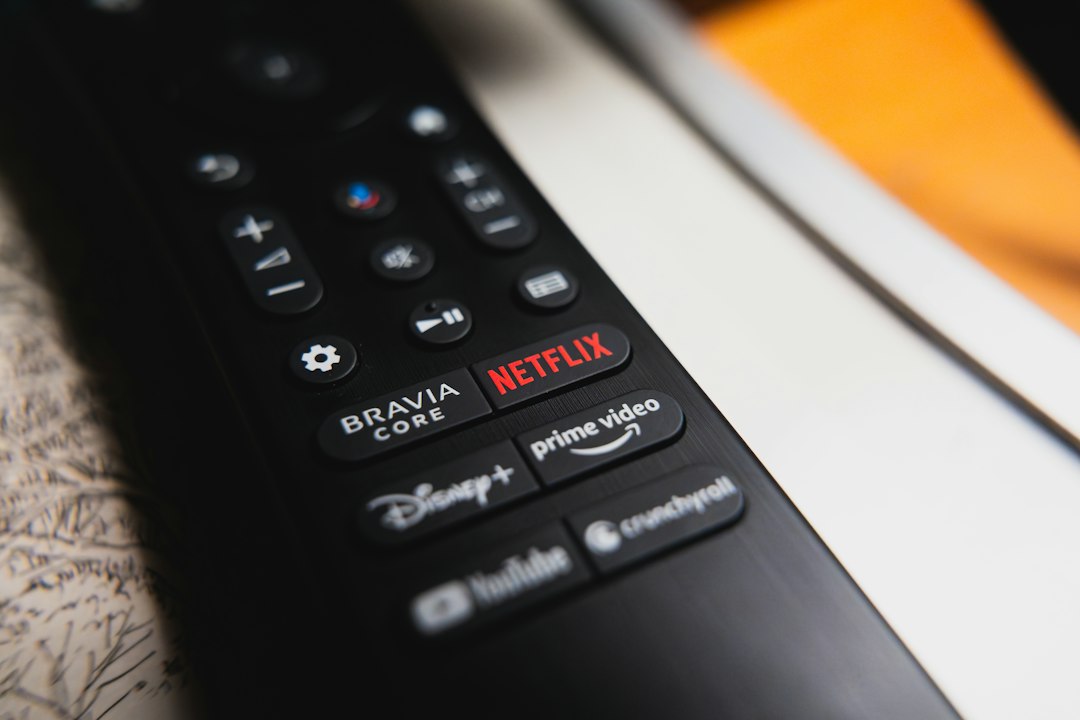
- App launching: Open Netflix, Disney+, Prime Video, and other installed apps remotely
Setting Up the App: A Step-by-Step Walkthrough#
Installation takes less than five minutes if your phone and Fire TV are on the same Wi-Fi network. Here’s the process most users follow:
- Download the app from the Play Store or App Store
- Open it and allow location permissions (required to detect nearby devices)
- Sign in with the same Amazon account linked to your Fire TV
- Select your device from the list that appears automatically
- Start using the on-screen remote immediately
If the app doesn’t detect your Fire TV automatically, both devices need to be on the same local network — not just the same Wi-Fi name, but the same physical router. Guest networks often cause this detection to fail.
Common Setup Issues and Fixes#
Users frequently report three recurring problems. Knowing the fix beforehand saves a lot of frustration:
| Problem | Likely Cause | Solution |
|---|---|---|
| Device not found | Different Wi-Fi networks | Connect both devices to the same router |
| Remote lag | Weak Wi-Fi signal | Move closer to the router or restart it |
| Voice search not working | Microphone permission denied | Enable mic access in phone settings |
Amazon Fire TV App vs. Other Streaming Remote Apps#
Compared to similar remote apps from Roku, Google TV, and Apple TV, the Amazon app holds its own but isn’t without quirks. Roku’s app, for example, tends to have more reliable device detection, while Google TV’s app offers tighter integration with Android phones specifically.
Where the Amazon Fire TV app pulls ahead is in voice command accuracy and the breadth of content it can search across — including third-party apps installed on the device, not just Amazon’s own catalog.
- Fire TV app: Best voice search, works cross-platform (Android and iOS)
- Roku app: More stable connection, simpler interface
- Google TV app: Deep Android integration, Chromecast built-in
Which Devices Support the App#
Not every Fire TV model behaves identically with the app. Older Fire TV Stick (1st generation) units sometimes lag during remote commands, while the Fire TV Stick 4K Max and Fire TV Cube respond almost instantly due to better processors.
If you’re watching on a non-Fire TV smart TV, check whether it runs Fire TV OS natively — models from Toshiba, Insignia, and some Panasonic lines ship with this built in, meaning the app works exactly as it would on an Amazon-branded device.
Getting More Out of Prime Video Through the App#
Beyond remote control functions, the app becomes genuinely useful for managing your Prime Video experience. You can queue up shows while away from the couch, check what’s leaving the catalog soon, and manage parental controls without touching the TV itself.
One underused feature: the app lets you create and edit your watchlist from your phone, which then syncs instantly to the TV screen. This is particularly handy for households sharing one account across multiple profiles.

Prime Video
Installs500M+
Size105.2MB
PlatformAndroid/iOS
PriceFree
Information about size, installs, and rating may change as the app is updated in the official stores.
Parental Controls and Profile Management#
Setting up PIN restrictions becomes far easier through the mobile interface. Instead of navigating clunky on-screen menus with a directional pad, you type directly using your phone’s keyboard — a small detail that makes a real difference when setting up multiple kid profiles.
Troubleshooting Performance Problems#
Lag and disconnection issues are the most common complaints in app store reviews. Most trace back to network congestion rather than the app itself. Here’s what typically resolves persistent issues:
- Restart both the router and the Fire TV device
- Update the app to the latest version through your app store
- Disable VPN connections on your phone during use
- Forget and re-add the Fire TV device within app settings
- Check for pending Fire TV OS software updates
If problems persist after these steps, Amazon’s support forums often have device-specific threads addressing firmware bugs that get patched in later updates.
Battery and Data Usage Considerations#
The app itself uses minimal battery and data since most functions rely on local network commands rather than cellular data. Voice search is the exception, briefly using data to process speech-to-text requests through Amazon’s servers.
Is the Amazon Fire TV App Worth Installing?#
For anyone who already owns a Fire TV Stick, Cube, or compatible smart TV, this app essentially replaces the need to hunt for a lost physical remote. The voice search alone — typing long show titles is tedious — justifies the download for most users.
It also makes sense for households managing several streaming devices, since switching between TVs happens with a single tap instead of swapping remotes physically.
The app won’t replace a premium universal remote for power users who want macro commands or integration with smart home systems, but for everyday streaming control, it does exactly what it promises without unnecessary complexity.

Keep reading
You might also like

Best App to Learn Reading for Adults Over 40
Learning to read after 40 feels different — and the right app can make the process practical, encouraging, and genuinely effective. 📚…
Best Apps to Improve 5G Network Performance and Speed
5G promises blazing speeds, but your actual connection often falls short of the hype. The right app can diagnose and fix that…