
Anúncios
Streaming music and live broadcasts from your phone has never been easier, and the right radio app changes how you listen every single day. 📻
Traditional AM/FM radios are quietly disappearing from kitchens, cars, and offices. A single radio app now replaces dozens of physical devices, giving access to thousands of stations worldwide in seconds.
Whether you want local news, international music, sports commentary, or talk shows, a good app organizes everything in one tap. This guide breaks down what matters most when choosing one.
Why a Radio App Beats Traditional Radio Hardware#
Physical radios depend on signal strength, antennas, and geographic location. A **radio app** uses internet streaming instead, which means reception quality stays consistent no matter where you are.
Consider the practical differences:
- Signal reliability: No static, no dead zones, no antenna adjustments.
- Station variety: Access to 50,000+ stations globally versus maybe 20-30 local frequencies.
- Portability: Works on phones, tablets, smart speakers, and car systems simultaneously.
- Extra features: Sleep timers, alarm integration, favorites lists, and offline recording in some apps.
Data from streaming platforms shows mobile radio listening grew over 35% between 2020 and 2023, largely driven by commuters and remote workers who stream through apps instead of car radios.
Key Features That Separate Good Apps From Mediocre Ones#
Not every radio app delivers the same experience. Some feel clunky, others drain battery fast, and a few bury stations behind confusing menus.
Audio Quality and Buffering#
Look for apps offering adjustable bitrate streaming. Lower bitrates (64-96 kbps) save mobile data but sound thinner. Higher options (128-320 kbps) sound closer to studio quality but consume more bandwidth — roughly 60-70 MB per hour at higher settings.
Offline Listening and Data Usage#
Some apps cache favorite stations or allow scheduled recordings, which helps when traveling through areas with weak internet connectivity. This matters especially for subway commuters or rural listeners.
Interface and Station Discovery#
A cluttered app wastes time. The best ones organize stations by genre, country, language, and popularity, with a search bar that actually understands partial station names or city filters.
| Feature | Basic Apps | Premium Radio Apps |
|---|---|---|
| Station Count | 5,000–10,000 | 40,000–60,000+ |
| Ad-Free Experience | Rarely | Usually with subscription |
| Sleep/Alarm Timer | Limited | Fully customizable |
| Offline Mode | No | Partial or full |
How to Choose the Right App for Your Listening Habits#
Different listeners need different setups. A truck driver crossing states has different needs than someone listening at home while cooking.
For Commuters and Drivers#
Prioritize apps with strong Android Auto or CarPlay integration. Voice command support reduces distraction, letting you switch stations without touching the screen.
For Music Discovery#
Choose apps that let you filter by genre deeply — not just “pop” or “rock,” but subgenres like lo-fi, bossa nova, or classic hip-hop. This prevents algorithm fatigue from repetitive playlists.
For News and Talk Radio Fans#
Look for apps featuring regional news stations and international broadcasters. Being able to switch from a local AM station to BBC World Service in two taps adds real value.
Battery consumption also varies. Apps running constant background streaming can drain 15-20% battery per hour on older devices, so checking background data settings helps extend usage time.

RadiosNet
Installs10M+
Size105.4MB
PlatformAndroid/iOS
PriceFree
Information about size, installs, and rating may change as the app is updated in the official stores.
Setting Up Your Radio App for Daily Use#
Getting the most out of a radio app requires a few setup steps most people skip. These small adjustments make daily listening smoother.
Step 1: Organize Favorites by Context#
Create separate favorite lists for “morning commute,” “work focus,” and “weekend relaxation.” This avoids scrolling through hundreds of stations every time you open the app.
Step 2: Adjust Data Settings#
Switch to Wi-Fi-only streaming when at home to save mobile data. Most apps let you set automatic quality reduction when on cellular networks, which can cut data usage by 40-50%.
Step 3: Enable Notifications Selectively#
Too many push notifications about “trending stations” become annoying fast. Turn off promotional alerts but keep playback controls visible in your notification bar for quick access.
Common Problems and Practical Fixes#
Even reliable apps run into occasional hiccups. Knowing quick fixes saves frustration.
- Stream keeps buffering: Switch to a lower bitrate or check if too many background apps are using bandwidth.
- Station disappears from list: Some stations change broadcast servers; search by name again or check the app’s update log.
- App crashes on launch: Clear cache first before reinstalling — this solves most Android-based issues.
- Audio delay with car Bluetooth: Update both the app and your car’s firmware; outdated Bluetooth codecs often cause lag.
The Growing Role of Radio Apps in Local Journalism#
Smaller radio stations that once struggled with limited broadcast range now reach global audiences through app distribution. A community station in rural Portugal can be heard by a listener in Toronto without any extra infrastructure cost.
This shift matters for local journalism. Independent stations report listener growth of 20-45% after joining major radio app directories, according to several broadcaster associations in Europe and Latin America.
For listeners, this means access to perspectives and music scenes that traditional radio dials never reached. A single app becomes a window into hundreds of local cultures.

Making Radio Part of Your Daily Routine Again#
Radio never really left — it just moved to a smarter format. A well-chosen radio app brings back the spontaneity of discovering new music or catching breaking news live, without the static or limited reach of old hardware.
Pick an app based on how you actually listen: commuting, working, or relaxing at home. Test the free version first, check battery and data behavior over a week, then decide if a premium upgrade is worth it for your habits. 🎧

Keep reading
You might also like

Best App to Learn Reading for Adults Over 40
Learning to read after 40 feels different — and the right app can make the process practical, encouraging, and genuinely effective. 📚…
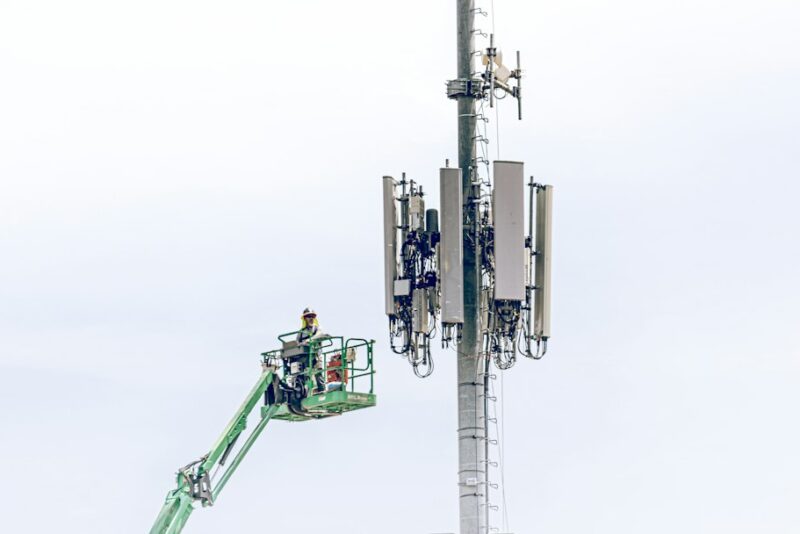
Best Apps to Improve 5G Network Performance and Speed
5G promises blazing speeds, but your actual connection often falls short of the hype. The right app can diagnose and fix that…