
Anúncios
Your phone keeps screaming “storage full” at the worst possible moment? A good app to free up phone space can fix that fast and painlessly. 📱
Running out of storage is one of the most common complaints among smartphone owners, regardless of whether they use Android or iOS. Photos, cached files, duplicate downloads, and forgotten apps pile up silently until there’s no room left for anything new.
The good news is that modern cleaning apps have evolved far beyond simple “delete junk” tools. They now offer smart scanning, duplicate detection, and even cloud backup suggestions — all designed to give you back control of your device’s memory.
Why Phones Run Out of Storage So Quickly#
It’s not just about downloading too many apps. Several hidden culprits eat away at your available space without you noticing.


- Cache files from apps like Instagram, WhatsApp, and browsers can grow to several gigabytes over months.
- Duplicate photos from backup syncs, screenshots, and camera bursts often double up unnecessarily.
- Residual files left behind after uninstalling apps continue occupying space.
- Large media attachments in messaging apps accumulate automatically, especially in group chats.
A single WhatsApp group with daily media sharing can easily consume 2-3 GB within a few months. Multiply that across several chat apps, and the numbers add up quickly.
The Real Cost of a Full Storage Device#
When your phone storage hits 95% or more, performance suffers noticeably. Apps crash more often, the camera takes longer to save photos, and software updates fail to install.
Android devices with less than 10% free space tend to show lag in app switching and background processes. iPhones behave similarly, with Siri and iCloud sync becoming unreliable when storage is critically low.
How a Cleaning App Actually Works#
Most reputable storage-cleaning apps follow a similar process, though the depth of each step varies by brand.
- Scanning: The app analyzes your file system, identifying cache, temporary files, and duplicates.
- Categorization: Results are sorted into categories like photos, videos, app cache, and unused apps.
- Safe deletion: You choose what to remove, often with one-tap options for “junk only” or “full clean.”
- Compression or cloud transfer: Some apps offer to compress large videos or move files to cloud storage instead of deleting them outright.
This structure means you stay in control — nothing gets deleted without your approval, which matters a lot when dealing with personal photos or documents.
What Makes a Cleaning App Trustworthy#
Not every app in this category is equally safe. Some older or poorly reviewed apps request excessive permissions or display intrusive ads that slow down the very phone they claim to speed up.
Look for apps with transparent permission requests, clear privacy policies, and consistent updates. Apps backed by established companies, with millions of downloads and verified reviews, tend to be the safer bet.
Comparing Popular Storage-Cleaning Features#
Different apps emphasize different strengths. Here’s a quick breakdown of what to expect from common feature sets:
| Feature | What It Does | Why It Matters |
|---|---|---|
| Duplicate Photo Finder | Scans your gallery for identical or near-identical images | Can recover 1-5 GB on devices with years of photos |
| Cache Cleaner | Removes temporary files created by apps | Frees space instantly without deleting real data |
| Large File Detector | Finds videos and downloads over a certain size | Helps identify forgotten large files fast |
| App Usage Analyzer | Shows which apps you haven’t opened in months | Makes uninstalling unused apps easier to decide |
Combining these tools usually recovers significantly more space than manually deleting files one by one through your phone’s file manager.
Android vs iPhone: Different Challenges#
Android devices tend to accumulate more cache and residual files because of the open app ecosystem. iPhones, on the other hand, struggle more with photo and video storage due to high-resolution camera outputs and iMessage attachments.
For iPhone users, enabling “Optimize Storage” under Photos settings works alongside a cleaning app to keep local storage lean while preserving full-resolution backups in iCloud.
Step-by-Step: Freeing Up Space Without Losing Important Files#
Before diving into aggressive cleaning, follow a short checklist to avoid accidentally deleting something valuable.
- Back up your photos and videos to cloud storage or a computer first.
- Review the duplicate finder results manually before confirming deletion.
- Check which apps are flagged as “unused” — some might be seasonal, like tax or travel apps.
- Clear chat app media caches separately, since these often hide in subfolders.
- Run the cleaning process monthly rather than waiting until storage is critical.
This routine keeps your phone running smoothly without the stress of emergency cleanups when storage hits zero.

CCleaner â Phone Cleaner
Installs100M+
Size32GB
PlatformAndroid/iOS
PriceFree
Information about size, installs, and rating may change as the app is updated in the official stores.
Signs You Need to Clean Your Phone Right Now#
Certain warning signs indicate it’s time to act instead of waiting for the “storage almost full” notification.
- Your camera app refuses to save new photos or videos.
- App updates consistently fail with a “not enough space” error.
- The phone takes noticeably longer to open apps or switch between them.
- Downloading a new app requires manually deleting something else first.
If two or more of these happen regularly, your device is likely operating below the healthy storage threshold, usually around 10-15% free space.
Beyond Deleting: Smart Storage Management#
Freeing space isn’t only about deletion. Many apps now suggest moving files to cloud services like Google Drive, Dropbox, or iCloud, keeping a local copy only when needed.
This hybrid approach means you keep access to old photos and documents without permanently occupying your phone’s internal memory. It’s particularly useful for people who take professional photos or record long videos regularly.
Choosing the Right App for Your Needs#
Before installing any cleaning app, consider what matters most to your daily use.
| If you mostly need… | Look for an app that offers… |
|---|---|
| Quick cache cleanup | One-tap junk removal with minimal ads |
| Photo organization | Strong duplicate detection and gallery sorting |
| Long-term monitoring | Scheduled scans and storage alerts |
| Privacy-conscious cleaning | Clear permission requests and no data collection |
Matching the app’s strengths to your actual habits avoids installing something bloated with features you’ll never use.
Common Mistakes People Make When Cleaning Storage#
Even with good tools, a few habits can undo your progress quickly.
- Deleting cache without checking which apps rely on it for offline functionality.
- Ignoring duplicate videos, which take up far more space than duplicate photos.
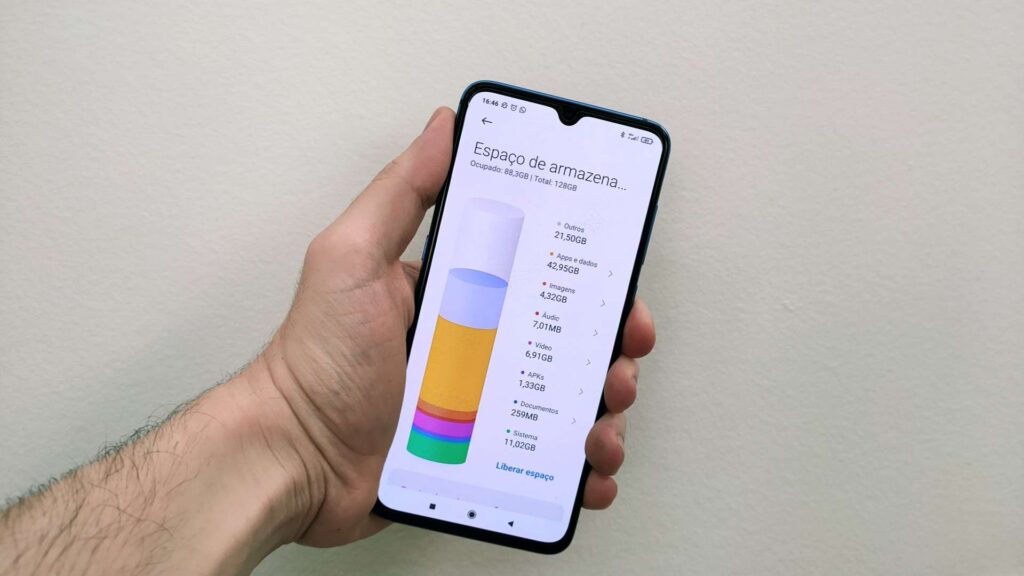
- Ignoring built-in storage settings that already show a breakdown by category.
- Reinstalling heavy apps immediately after uninstalling them, undoing the cleanup.
Being mindful of these patterns helps maintain the freed-up space longer, instead of filling it right back up within a week.
Keeping a smartphone clutter-free isn’t a one-time task — it’s an ongoing habit that pays off in speed, reliability, and peace of mind every time you reach for your phone.

Keep reading
You might also like

Best Horror Movie Apps to Stream Scary Films Today
Horror movie apps have changed how fans discover, stream, and track scary films, putting decades of chilling content into a single pocket-sized…

Comic Book App: Read and Create Digital Comics
Turning everyday moments into comic panels is easier than ever, and a dedicated comic maker app puts that power right in your…