
Anúncios
Checking your body temperature shouldn’t require digging through a drawer for a glass thermometer. A **temperature app** turns your phone into a fast, accessible wellness tool. 🌡️
Millions of people now search for a digital way to track fever symptoms, room temperature, or body heat without owning a physical device. The demand makes sense: smartphones are always in our pockets.
This guide breaks down how these apps actually work, what they can and cannot measure, and how to choose one that fits your daily routine.
What a Temperature App Actually Does#
A **thermometer app** doesn’t magically read your body heat through the screen glass. Most apps fall into three categories, each with a different approach and accuracy level.


- Sensor-based apps: Use the phone’s built-in battery or ambient sensors to estimate nearby temperature.
- Bluetooth-connected apps: Pair with external infrared or digital thermometers for precise body readings.
- Simulation or educational apps: Provide a playful interface without real measurement capability, often used for pranks or demonstrations.
Understanding which type you’re downloading avoids disappointment later. Many free apps found in app stores fall into the third category, so checking reviews before installing matters.
How Phone Sensors Interpret Heat#
Some Android devices include ambient temperature sensors originally designed for battery management. A handful of apps repurpose this data to estimate room temperature within a few degrees of accuracy. This works reasonably well for checking if your living room feels warmer than usual, but it says nothing about your body’s internal temperature.
iPhones, by contrast, don’t ship with a dedicated ambient sensor accessible to third-party apps. That’s why most reliable iOS thermometer tools either connect to external hardware or focus purely on weather-based temperature data pulled from GPS location.
Real Medical Accuracy: What to Expect#
Clinical-grade fever tracking typically requires actual contact or infrared measurement, not a phone screen alone. Here’s a quick comparison of common measurement methods and their typical accuracy range:
| Method | Typical Accuracy | Best Use Case |
|---|---|---|
| Digital oral thermometer | ±0.1°C | Home fever checks |
| Infrared forehead scanner | ±0.2°C to ±0.3°C | Quick screening, public spaces |
| Bluetooth thermometer + app | ±0.1°C to ±0.2°C | Tracking fever trends over time |
| Phone sensor-only app | Not medically validated | Ambient temperature estimation only |
If you or a family member needs reliable fever monitoring, pairing a **body temperature app** with an actual Bluetooth thermometer gives you both accuracy and convenient history logs.
Why Logging Matters More Than a Single Reading#
One reading tells you almost nothing. A fever pattern over six or twelve hours tells a much clearer story. Good apps let you log multiple entries per day and generate a simple graph.
This is especially useful for parents monitoring a sick child overnight, or anyone managing a chronic condition that involves temperature fluctuation, like certain autoimmune disorders.
Choosing the Right Fever Tracking App#
Before downloading anything, it helps to know exactly what you need. Someone checking a child’s fever overnight has different requirements than someone monitoring basal body temperature for fertility tracking.
- Fever symptom checkers: Focus on logging, reminders, and symptom correlation (headache, chills, fatigue).
- Basal body temperature apps: Require high-precision daily readings, usually paired with ovulation tracking.
- Weather and ambient apps: Pull outdoor temperature from GPS and display forecasts, humidity, and heat index.
- Bluetooth thermometer companions: Sync directly with specific hardware brands for medical-grade accuracy.
Mixing up these categories is the most common mistake people make. A weather app won’t help you track a child’s fever, and a fever tracker won’t give you tomorrow’s forecast.
Features Worth Looking For#
Not every app needs to be complicated, but a few features genuinely improve the experience:
- 📊 Visual history charts showing temperature trends over days or weeks
- ⏰ Customizable reminders for repeat measurements
- 👨👩👧 Multiple profiles for tracking different family members
- 📤 Export options to share data with a doctor
- 🔔 Fever threshold alerts based on age-appropriate ranges
Age-appropriate thresholds matter a lot. A reading of 38°C means something different for an infant than for an adult, and a quality app should reflect that distinction rather than applying one blanket rule.
Common Mistakes When Using Temperature Apps#
Even with a solid app installed, user error creates inaccurate readings more often than faulty software. Here are patterns worth avoiding.
Measuring right after physical activity. Body temperature naturally rises after exercise or even climbing stairs. Wait at least fifteen minutes before logging a reading for accurate baseline data.
Ignoring calibration for Bluetooth devices. External thermometers paired via app often need periodic recalibration. Skipping this step causes drift over several months of use.
Trusting sensor-only apps for medical decisions. If an app has no external hardware connection and runs purely on phone sensors, treat its numbers as rough estimates, not diagnostic data.
Around this point in researching fever apps, many people realize they want both convenience and medical reliability in one place rather than juggling separate tools.

Thermometer++ Room Temperature
Installs10M+
Size162.1MB
PlatformAndroid/iOS
PriceFree
Information about size, installs, and rating may change as the app is updated in the official stores.
Temperature Tracking for Different Needs#
Different age groups and situations call for different monitoring strategies. A one-size-fits-all approach often leads to unnecessary worry or missed warning signs.
Monitoring Infants and Young Children#
Pediatric fever guidelines generally flag anything above 38°C (100.4°F) in infants under three months as requiring immediate medical attention. For toddlers and older kids, the threshold shifts higher, usually around 38.5°C to 39°C, depending on accompanying symptoms.
Apps designed with pediatric profiles automatically adjust these alert thresholds by age, which removes guesswork during a stressful middle-of-the-night fever spike.
Tracking Temperature During Illness Recovery#
For adults recovering from flu, COVID-19, or other viral infections, consistent logging reveals whether a fever is trending down or spiking again, a pattern that’s hard to notice with memory alone.
Doctors frequently ask for a temperature log covering 48 to 72 hours when diagnosing prolonged illness. Having that data ready in an app saves time during appointments and improves diagnostic accuracy.
Ambient and Environmental Monitoring#
Beyond body temperature, plenty of users want quick access to indoor or outdoor readings. Weather-focused temperature apps pull data from regional stations and display real-time conditions, feels-like temperature, and short-term forecasts.
These apps work differently from fever trackers since they rely on internet-connected weather services rather than physical sensors on your device.
Privacy Considerations Worth Checking#
Health data deserves extra scrutiny before you hand it over to any app. A few questions worth asking before downloading:
- Does the app require account creation, or can it work offline?
- Is temperature history stored locally or synced to a cloud server?
- Can exported data be shared securely with a healthcare provider?
- Does the privacy policy mention third-party data sharing for advertising?
Reputable fever and body temperature apps keep sensitive health logs private by default, often storing data locally on the device unless you choose to back it up or share it.
Getting Reliable Results Every Time#
Consistency beats precision when it comes to home temperature tracking. Taking a reading at roughly the same time each day, under similar conditions, produces more useful trend data than sporadic measurements taken at random moments.
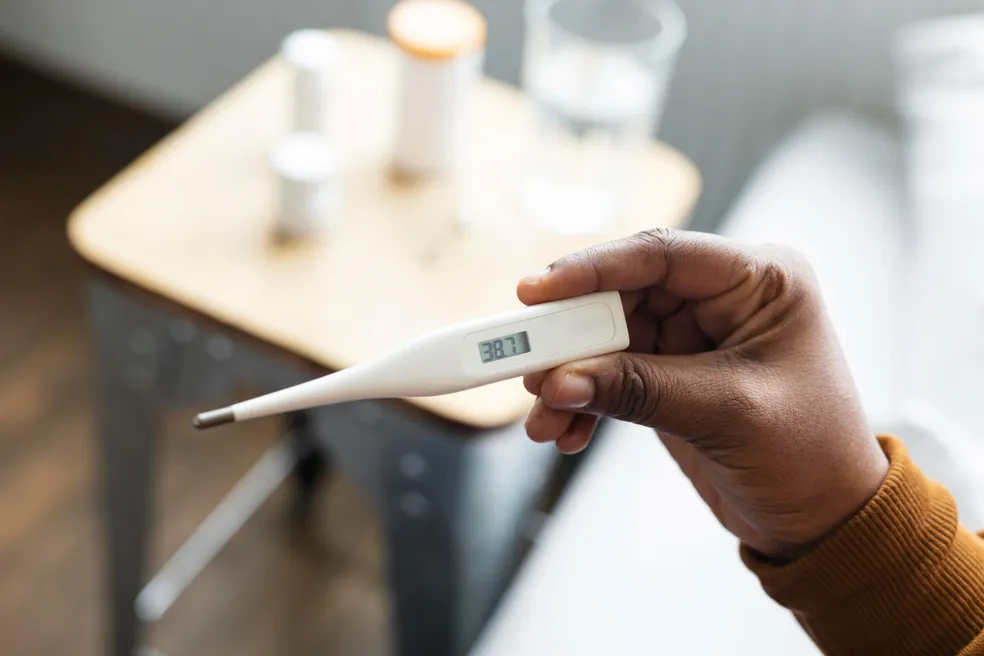
For families managing frequent illness or anyone tracking basal temperature for health reasons, pairing a dependable app with a quality Bluetooth or infrared device turns scattered guesswork into a clear, trackable health record.
Whether you’re watching for fever spikes overnight, logging symptoms for a doctor’s visit, or simply curious about the room temperature, the right combination of app and hardware makes the whole process faster and far less stressful than hunting for a mercury thermometer in a drawer.

Keep reading
You might also like

Best Horror Movie Apps to Stream Scary Films Today
Horror movie apps have changed how fans discover, stream, and track scary films, putting decades of chilling content into a single pocket-sized…

Comic Book App: Read and Create Digital Comics
Turning everyday moments into comic panels is easier than ever, and a dedicated comic maker app puts that power right in your…