
Anúncios
Identifying plants used to mean flipping through heavy guidebooks. Now a single photo and a smart app can name species, flag diseases, and remind you when to water. 🌿
Millions of people now keep houseplants, garden beds, or small urban jungles on their balconies. Knowing exactly what you’re growing — and what it needs — changes everything about how it thrives.
A good plant identification app does more than name a leaf. It diagnoses problems, tracks watering schedules, and connects you to a community of growers facing the same questions.
Why Plant Identification Technology Actually Works#
Modern plant apps rely on convolutional neural networks trained on millions of labeled images. Databases like PlantNet have cataloged over 20,000 species using crowdsourced photos verified by botanists.


When you snap a photo, the app compares leaf shape, vein patterns, flower structure, and bark texture against this trained model. Accuracy rates for common garden and houseplants now exceed 90% in optimal lighting conditions.
The technology isn’t perfect with rare or hybrid species, but for everyday identification — a fern in your backyard, an unlabeled succulent at a nursery — it performs remarkably well.
What Makes a Photo “Readable” for AI#
Not every picture gives the algorithm enough to work with. A few habits dramatically improve results:
- Natural daylight instead of indoor artificial light
- Capture a single leaf flat against a plain background
- Include a flower or fruit if present — these are strong identifiers
- Avoid blurry or heavily shadowed shots
- Take multiple angles when the first result feels uncertain
Apps that allow multi-photo submissions, combining leaf, stem, and flower images, consistently outperform single-photo identification tools.
Core Features That Separate Good Apps From Great Ones#
Not all plant apps are built the same. Some focus purely on identification, while others function as complete plant care ecosystems.
| Feature | Basic Apps | Advanced Apps |
|---|---|---|
| Species identification | Yes | Yes, with confidence percentage |
| Disease detection | No | Yes, with treatment suggestions |
| Watering reminders | No | Yes, customized by species and season |
| Toxicity warnings for pets | Rarely | Yes |
| Offline identification | No | Partial, with cached data |
If you own pets or small children, toxicity warnings are not optional extras — they’re essential safety information many people never think to check before buying a new plant.
Disease and Pest Diagnosis in Practice#
Yellowing leaves, brown spots, or curling edges usually have a specific cause: overwatering, nutrient deficiency, fungal infection, or pest infestation. A quality app analyzes the visual symptoms and cross-references them against a disease database.
For example, powdery mildew shows as a white, dusty coating — easily photographed and matched. Root rot, however, is harder to detect visually since the damage happens underground, so apps typically rely on leaf wilting patterns combined with user-reported watering habits.
Building a Daily Plant Care Routine With Your App#
Identification is just the entry point. The real value shows up in long-term care management, especially if you’re juggling more than three or four plants.
Most care-focused apps let you build a personal plant library. Each entry includes species-specific watering frequency, sunlight requirements, humidity preferences, and fertilizing schedules.
- Set custom watering intervals adjusted to your climate zone
- Receive push notifications before leaves show stress signs
- Log growth photos monthly to track progress visually
- Get repotting alerts based on root-bound indicators
Users who log care consistently for at least eight weeks report noticeably fewer plant deaths, according to internal data shared by several popular plant care platforms.
Seasonal Adjustments Most People Forget#
Plant needs shift dramatically between seasons, and this is where static knowledge — a sticky note on the pot, a memory of “water weekly” — falls short.
During winter dormancy, many houseplants need 50% less water. In peak summer growth, the same plant might need fertilizing every two weeks instead of monthly. Apps that adjust reminders automatically based on your geographic location and the time of year save you from both underwatering and overwatering mistakes.
Choosing Between Popular Plant Apps#
The market has several strong contenders, each with a slightly different focus. Here’s how the main approaches compare:
| App Type | Best For | Limitation |
|---|---|---|
| Identification-first apps | Hikers, foragers, curious gardeners | Weaker ongoing care tools |
| Care-management apps | Houseplant collectors | Identification accuracy varies |
| Community-driven apps | Beginners wanting human feedback | Slower response times than AI |
| Hybrid platforms | Most users, all-around needs | May include subscription fees for full features |
If your main goal is simply naming a mystery plant from a hike, a lightweight identification app is enough. If you’re managing a growing indoor collection, a hybrid platform with reminders and diagnostics pays off much faster.
Free vs. Premium: What You’re Actually Paying For#
Free tiers typically cap daily identifications — often three to five scans before asking for a subscription. Premium plans usually unlock unlimited scans, detailed care guides, and priority access to plant disease databases.
For casual users, the free tier covers most needs. Serious hobbyists managing ten or more plants generally find the subscription worthwhile within the first few months, mainly due to time saved on research.

Plant Identifier: Plant Care
Installs100K+
Size248.3MB
PlatformAndroid/iOS
PriceFree
Information about size, installs, and rating may change as the app is updated in the official stores.
Common Mistakes People Make With Plant Apps#
Even with great technology, user error still causes most plant care failures. A few recurring patterns show up across forums and app reviews.
- Ignoring confidence scores — a 60% match shouldn’t be treated as confirmed identification
- Relying solely on generic care advice instead of adjusting for your specific home environment
- Photographing damaged or dying leaves and expecting accurate species identification
- Skipping app updates, which often include database expansions and bug fixes for diagnosis accuracy
Treat the app as a knowledgeable assistant, not an infallible oracle. Cross-checking uncertain results with a local nursery or gardening forum adds a useful layer of confirmation.
When to Trust the App — and When to Ask a Human#
For common species — pothos, succulents, basil, roses — app accuracy is excellent. For rare natives, unusual hybrids, or plants showing severe disease symptoms, a local extension office or experienced gardener still outperforms AI.
Think of the app as your first filter. It narrows possibilities fast, saves hours of manual searching, and handles routine care reminders so you don’t have to remember everything yourself.
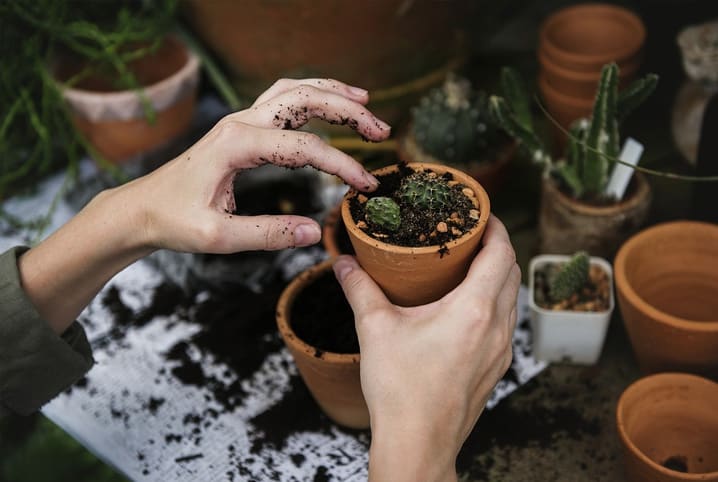
Getting Real Value From Day One#
Start by photographing every plant you currently own, even the ones you think you already know. You’ll likely discover misidentified varieties or hidden care requirements you’d been missing for months.
Build your digital plant library gradually. Add care notes after each watering session for the first month — this data trains the app’s reminders to match your actual home conditions rather than generic defaults.
Within a few weeks, the combination of accurate identification, smart reminders, and disease alerts turns plant care from guesswork into a manageable, almost effortless routine. Your garden — indoor or outdoor — benefits immediately, and so does your confidence as a grower.

Keep reading
You might also like

Best App to Learn Reading for Adults Over 40
Learning to read after 40 feels different — and the right app can make the process practical, encouraging, and genuinely effective. 📚…
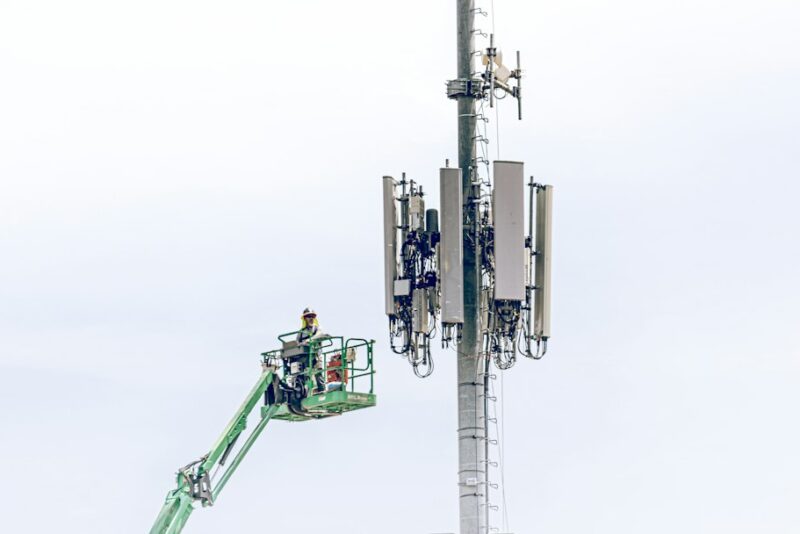
Best Apps to Improve 5G Network Performance and Speed
5G promises blazing speeds, but your actual connection often falls short of the hype. The right app can diagnose and fix that…